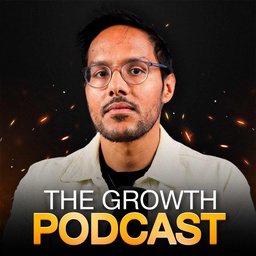
 Aakash Gupta
Claude Code Secrets for PMs: The Operating System, Skills, and Data Viz
Aakash Gupta and Carl Vellotti on turn Claude Code into a PM operating system with skills.
In this episode of Aakash Gupta, featuring Aakash Gupta and Carl Vellotti, Claude Code Secrets for PMs: The Operating System, Skills, and Data Viz explores turn Claude Code into a PM operating system with skills Claude Code still matters because it’s the most powerful “base layer” compared to UI wrappers like Cowork and autonomous runners like OpenClaw, especially when PMs must stay in the driver’s seat.
At a glance
WHAT IT’S REALLY ABOUT
Turn Claude Code into a PM operating system with skills
- Claude Code still matters because it’s the most powerful “base layer” compared to UI wrappers like Cowork and autonomous runners like OpenClaw, especially when PMs must stay in the driver’s seat.
- Context engineering is the mastery lever: monitor context usage, reduce wasted tokens, and delegate high-context work to sub-agents to avoid frequent compaction and quality degradation.
- Skills are the core extensibility mechanism—ranging from “just a great prompt” (e.g., front-end design) to tool-powered skills (e.g., Tavily + Firecrawl) and code-executing skills (e.g., Puppeteer slide generation).
- Trust and auditability improve dramatically when Claude produces traceable artifacts like Jupyter notebooks that show exact code, transformations, and reproducible visualizations.
- An “operating system” file structure (Knowledge/Projects/Meetings/Data/Tools/Tasks + a well-maintained CLAUDE.md) turns ad-hoc chats into a durable, compounding workflow where outputs stay organized and reusable.
IDEAS WORTH REMEMBERING
12 ideasTreat Claude Code as a power tool, not a chatbot.
The episode’s core argument is that most value comes from building workflows—skills, tools, agents, and structure—so Claude collaborates with you rather than producing one-off responses.
Make context visible so you can manage it deliberately.
Customize a status line to display context usage and use /context to see what consumes tokens (system prompt, enabled tools/MCPs, plugins), then disable what you don’t need.
Delegate high-tool-call tasks to sub-agents to prevent context blowups.
Research and multi-step browsing can consume tens of thousands of tokens; sub-agents keep the heavy tool traces out of the main thread so you only receive a summary and avoid frequent compaction.
Use background execution to maintain flow.
When a sub-agent runs, send it to the background (Ctrl+B) so you can keep working; results “inject” back into the main session when complete.
Turn repeated judgment calls into a skill (e.g., when to use sub-agents).
They live-build a “Context Guard” skill that decides whether a task belongs in the main session or a delegated agent, standardizing best practices and saving context automatically.
Use the Ask User Questions tool to eliminate assumption-driven slop.
Instead of guessing requirements, Claude can present a structured UI of clarifying questions, making specs and plans more accurate and reducing back-and-forth confusion.
Prefer CLIs over MCPs when possible to reduce context overhead and increase reliability.
MCPs can consume significant tokens just by being enabled; CLIs (often wrappers over APIs) live on the machine and let Claude operate tools without bloating the context window.
Give Claude a way to inspect its own visual output for higher-quality design.
For slides and graphics, a Puppeteer-powered “Make slides” skill screenshots the rendered HTML and checks overflow/layout, enabling iterative self-correction instead of manual screenshot feedback loops.
Auto-invocation is unreliable unless you engineer it.
Skill keyword auto-triggering is finicky; hooks (e.g., on user prompt submit) can run a fast script to detect keyword matches and nudge Claude to apply the right skill without stuffing CLAUDE.md.
For data work, require traceable artifacts like Jupyter notebooks.
Notebooks provide “proof of work” with executable code, charts, and reproducible calculations, addressing the PM concern: where the numbers came from and how they were computed.
An operating-system folder structure makes Claude outputs compounding and reusable.
Separating durable reference (Knowledge/People) from active work (Projects/Meetings/Data/Tasks/Tools) lets you drop an entire project folder back into Claude later to regain context quickly and continue work.
Iterate on CLAUDE.md as your always-on context layer.
Because CLAUDE.md is always in context, keep it lean but high-leverage: how you work, what you’re building, key constraints, and recurring failure modes you want Claude to avoid.
WORDS WORTH SAVING
5 quotesEveryone says it's not about prompt engineering anymore, it's about context engineering.
— Carl Vellotti
When you have a sub-agent like this... it has spun up basically a clone of itself that is now doing all that work.
— Carl Vellotti
The ask user questions tool is... my absolute favorite Claude Code feature.
— Carl Vellotti
Stop using MCPs, start using CLIs.
— Aakash Gupta
Where does that data actually come from, and how is it calculated is... a major area where people just do not trust AI.
— Carl Vellotti
QUESTIONS ANSWERED IN THIS EPISODE
5 questionsCowork is described as a UI built on top of Claude Code—what specific capabilities do you lose (or gain) when you move from Claude Code CLI to Cowork in real PM workflows?
Claude Code still matters because it’s the most powerful “base layer” compared to UI wrappers like Cowork and autonomous runners like OpenClaw, especially when PMs must stay in the driver’s seat.
When should a PM *not* delegate to a sub-agent (i.e., what task types actually benefit from keeping full traces in the main thread)?
Context engineering is the mastery lever: monitor context usage, reduce wasted tokens, and delegate high-context work to sub-agents to avoid frequent compaction and quality degradation.
Your /context example shows tools and MCPs consuming context even before doing work—what’s your recommended “default minimal toolset” for PMs, and how do you expand it safely?
Skills are the core extensibility mechanism—ranging from “just a great prompt” (e.g., front-end design) to tool-powered skills (e.g., Tavily + Firecrawl) and code-executing skills (e.g., Puppeteer slide generation).
Can you share the exact heuristic logic used in the hook script that matches user prompts to skill keywords, and how you prevent false positives that trigger the wrong skill?
Trust and auditability improve dramatically when Claude produces traceable artifacts like Jupyter notebooks that show exact code, transformations, and reproducible visualizations.
You warned about skill marketplaces and prompt-injection malware—what concrete review checklist should PMs use before installing a third-party skill?
An “operating system” file structure (Knowledge/Projects/Meetings/Data/Tools/Tasks + a well-maintained CLAUDE.md) turns ad-hoc chats into a durable, compounding workflow where outputs stay organized and reusable.
EVERY SPOKEN WORD
Install uListen for AI-powered chat & search across the full episode — Get Full Transcript
Get more out of YouTube videos.
High quality summaries for YouTube videos. Accurate transcripts to search & find moments. Powered by ChatGPT & Claude AI.
Add to Chrome