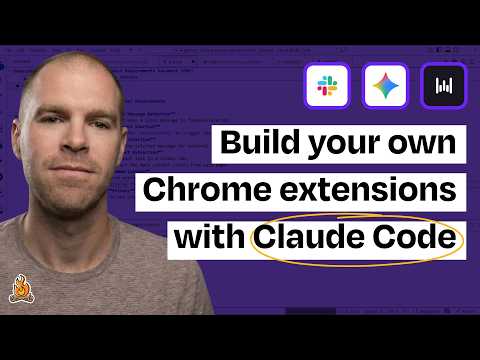
How a visually impaired engineer builds personal software with Claude Code + Wispr Flow
Joe McCormick (guest), Claire Vo (host)
In this episode of How I AI, featuring Joe McCormick and Claire Vo, How a visually impaired engineer builds personal software with Claude Code + Wispr Flow explores vision loss inspires AI-powered micro-apps that supercharge accessible coding Joe McCormick, a principal software engineer at Babylist who lost most of his central vision from Leber’s hereditary optic neuropathy, shows how multimodal AI has made work and daily life dramatically easier.
Vision loss inspires AI-powered micro-apps that supercharge accessible coding
Joe McCormick, a principal software engineer at Babylist who lost most of his central vision from Leber’s hereditary optic neuropathy, shows how multimodal AI has made work and daily life dramatically easier.
He demos micro Chrome extensions that add instant image descriptions and one-keystroke spellchecking inside Slack (in the browser), emphasizing speed, keyboard shortcuts, and screen-reader accessibility.
Joe then live-builds a new Slack-focused extension with Claude Code: a shortcut that extracts links from a message, summarizes the linked article via OpenAI, and displays 3–5 takeaways in an accessible modal.
The conversation highlights “personal software” ROI (minutes saved daily for ~30 minutes of build time), practical agent tooling tweaks for accessibility, and the emotional impact of AI enabling him to read books with his kids via Gemini Live sharing.
Key Takeaways
AI shrinks the accessibility gap in software engineering.
Joe describes how generative AI tools help visually impaired engineers close day-to-day productivity differences with sighted peers, both in coding and in parsing information-heavy workflows.
Get the full analysis with uListen AI
Micro-tools beat “Swiss Army knife” browsers when latency matters.
AI-native browsers can be powerful but slower; Joe prefers targeted Chrome extensions triggered by shortcuts for specific, repeatable tasks where seconds of friction add up.
Get the full analysis with uListen AI
Running Slack in Chrome unlocks rapid, customizable automation.
Instead of fighting the desktop app, Joe uses Slack Web so browser extensions can intercept focused messages and inputs, enabling seamless in-context assistance.
Get the full analysis with uListen AI
Keyboard-first UX is an accessibility and efficiency multiplier.
His tools revolve around consistent shortcuts (e. ...
Get the full analysis with uListen AI
Personal software ROI has collapsed—build time now justifies tiny wins.
He contrasts old tradeoffs (3 days to save 3 minutes/day) with current ones (30 minutes to save 3 minutes/day), making it rational to automate “small” annoyances.
Get the full analysis with uListen AI
Accessibility can be “prompted in” because standards are well-specified.
Joe notes that when explicitly asked, models often correctly apply ARIA roles and focus handling for modals—crucial because screen readers can otherwise read behind overlays.
Get the full analysis with uListen AI
When LLMs get stuck, reset context rather than endlessly patching prompts.
Joe’s practical prompting strategy is to start fresh, carry forward only the learnings, and avoid “poisoned” conversations that drift into unproductive states.
Get the full analysis with uListen AI
Notable Quotes
“The world is a whole lot easier.”
— Joe McCormick
“It was probably 25 minutes of a Claude Code session.”
— Joe McCormick
“The payback period has just become insane for a lot of this tooling.”
— Joe McCormick
“Latency is the killer feature.”
— Claire Vo
“‘Sorry, I can’t,’ becomes, ‘Sorry, I can,’ with the assistance of so many different tools now.”
— Joe McCormick
Questions Answered in This Episode
How exactly does your Slack image-description extension grab the image data (DOM scrape, Slack CDN URL, clipboard) before sending it to ChatGPT?
Joe McCormick, a principal software engineer at Babylist who lost most of his central vision from Leber’s hereditary optic neuropathy, shows how multimodal AI has made work and daily life dramatically easier.
Get the full analysis with uListen AI
What prompt(s) or output schema did you standardize in your Chrome-extension Claude Skill to make new extensions reliable and fast to scaffold?
He demos micro Chrome extensions that add instant image descriptions and one-keystroke spellchecking inside Slack (in the browser), emphasizing speed, keyboard shortcuts, and screen-reader accessibility.
Get the full analysis with uListen AI
What were the specific changes that fixed the “JSON showing in the modal” bug—was it response_format JSON, parsing, or rendering logic?
Joe then live-builds a new Slack-focused extension with Claude Code: a shortcut that extracts links from a message, summarizes the linked article via OpenAI, and displays 3–5 takeaways in an accessible modal.
Get the full analysis with uListen AI
How do you handle privacy/security tradeoffs when opening links in “hidden tabs” and extracting page content locally?
The conversation highlights “personal software” ROI (minutes saved daily for ~30 minutes of build time), practical agent tooling tweaks for accessibility, and the emotional impact of AI enabling him to read books with his kids via Gemini Live sharing.
Get the full analysis with uListen AI
Which ARIA roles and focus-management patterns have you found most critical to prevent screen readers from reading behind modals in Slack Web?
Get the full analysis with uListen AI
Transcript Preview
Right before I started college, I ended up losing most of my central vision due to a rare genetic disorder called Leber's hereditary optic neuropathy. I was talking with someone who was losing their sight recently from the same disease, and they were asking about different things, and I was like, "Oh, you can just do all of that now with Gemini or ChatGPT." The world is a whole lot easier.
So you're gonna show us some of the things that you've built for yourself.
So when someone sends me an image, I use this tool to be able to get the gist of an image without needing to ask somebody to explain it to me. If I hit Control + Shift + D on any message, it's gonna pop up and go off and describe that image for me. And the cool thing is, I can go ask some follow-ups. What age child is this for? And it will head off to ChatGPT and get the response for this as well.
I'm curious for you, what are you most excited about in the multimodal world of AI?
One thing that I was always afraid of: Can I read stories? I can memorize stories, I can tell stories, but your son being like, "I want to read this book," and you having to be like, "Sorry, I can't." And now that, "Sorry, I can't," becomes, "Sorry, I can," with the assistance of so many different tools now.
[upbeat music] Welcome back to How I AI. I'm Claire Vo, product leader and AI obsessive, here on a mission to help you build better with these new tools. Today, we have Joe McCormick, principal software engineer at Babylist, who has a vision impairment, and he's gonna show us how he uses AI to build micro Chrome apps to make his everyday life and work a lot more accessible. You're gonna learn how to use Claude Code to write Chrome apps, and you're gonna be inspired at the little things you can do to make your own Slack a little bit more efficient. Let's get to it. This episode is brought to you by Tines, the intelligent workflow platform powering the world's most important work. Business moves faster than the systems meant to support it. Teams are stuck with repetitive tasks, scattered tools, and hard-to-reach data. AI has huge promise, but struggles when everything underneath is fragmented. Tines fixes that. It unifies your tools, data, and processes in one secure, flexible platform, blending agentic AI, automation, and human-led intervention. Teams get their time back, workflows run smarter, and AI actually delivers real value. Customers now automate over one point five billion actions every week. Tines is trusted by companies like Canva, Coinbase, Databricks, GitLab, Mars, and Reddit. Try Tines at tines.com/howiai. Joe, thanks for joining How I AI, and I want you to spend a little bit of time introducing yourself and your story, and how AI has impacted your ability to do work and build interesting things, and engage in lots of awesome projects, and what's different about your life now with AI versus before?
Install uListen to search the full transcript and get AI-powered insights
Get Full TranscriptGet more from every podcast
AI summaries, searchable transcripts, and fact-checking. Free forever.
Add to Chrome