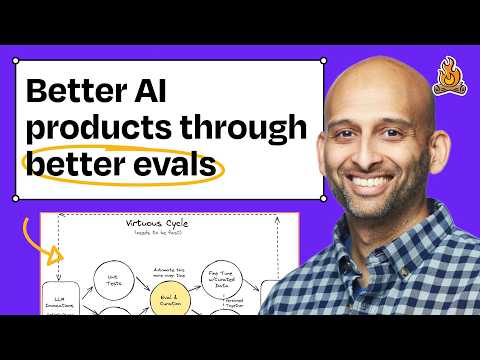
Evals, error analysis, and better prompts: A systematic approach to improving your AI products
Claire Vo (host), Hamel Husain (guest)
In this episode of How I AI, featuring Claire Vo and Hamel Husain, Evals, error analysis, and better prompts: A systematic approach to improving your AI products explores systematically improve AI products with traces, error analysis, and evals Hamel argues the biggest unlock for higher-quality AI products is the same as classic product work: look at real data—especially real user interactions—rather than relying on “vibe checks.”
Systematically improve AI products with traces, error analysis, and evals
Hamel argues the biggest unlock for higher-quality AI products is the same as classic product work: look at real data—especially real user interactions—rather than relying on “vibe checks.”
He demonstrates how “traces” (logged multi-step AI interactions including prompts, tool calls, and outputs) make failures debuggable and reveal surprising user behavior (vague, typo-heavy, ambiguous inputs).
The core method is error analysis: sample ~100 traces, write brief human notes on the first upstream failure, then categorize and count issues to create a prioritized defect backlog.
Only after this grounding should teams write evals: use code-based checks for objective issues, and LLM-as-a-judge for subjective ones—designed as specific binary pass/fail tests and validated against human labels to avoid misleading dashboards.
Key Takeaways
Real user traces are the foundation of AI quality work.
Before you optimize prompts or add evals, you need logs of what users actually do (including messy, ambiguous language) and what the system actually executed (system prompt, tool calls, retrieved context).
Get the full analysis with uListen
Error analysis makes an intractable problem tractable.
Randomly sample a manageable set (e. ...
Get the full analysis with uListen
Categorize and count failures to build a prioritized roadmap.
After open-coded notes, bucket issues (manually or with an LLM) and count frequency; this turns “the model is weird” into a ranked list like “handoff failures” and “tour scheduling errors.”
Get the full analysis with uListen
Custom annotation UIs can be worth it to remove friction.
Off-the-shelf observability tools work, but lightweight internal tools tailored to your channels and filters can speed human review, standardize labels, and improve throughput.
Get the full analysis with uListen
Write evals only after you know what to measure.
There are infinite possible evals; error analysis tells you which ones matter. ...
Get the full analysis with uListen
LLM-as-a-judge should be specific, binary, and validated.
Avoid vague dashboards (helpfulness/truthfulness scores) that don’t map to actionable fixes. ...
Get the full analysis with uListen
Prompt improvements often start with basic missing context, not “magic.”
Low-hanging fixes (e. ...
Get the full analysis with uListen
Notable Quotes
“The most important thing is looking at data.”
— Hamel Husain
“Just spend three hours of your afternoon, go through, read some of these chats, look at some of them with your human eyes... and get to work.”
— Claire Vo
“Error analysis has two steps. The first step is writing notes... basically like journaling what is wrong.”
— Hamel Husain
“The last thing you wanna do is throw up a judge on the dashboard... and people don't know if they can trust it.”
— Hamel Husain
“If you do all this eval stuff, fine-tuning is basically free... those difficult examples... are exactly the stuff you want to fine-tune on.”
— Hamel Husain
Questions Answered in This Episode
In the Nurture Boss trace (“What’s up to four-month rent”), what would an ideal clarification policy look like (when to ask a follow-up vs. attempt an answer)?
Hamel argues the biggest unlock for higher-quality AI products is the same as classic product work: look at real data—especially real user interactions—rather than relying on “vibe checks.”
Get the full analysis with uListen AI
How do you decide the right sample size for manual error analysis (100 traces vs. 30 vs. 500), and how often should teams repeat the exercise as the product evolves?
He demonstrates how “traces” (logged multi-step AI interactions including prompts, tool calls, and outputs) make failures debuggable and reveal surprising user behavior (vague, typo-heavy, ambiguous inputs).
Get the full analysis with uListen AI
What’s your recommended schema for annotations (labels, severity, upstream/downstream flags) so the resulting buckets translate directly into evals and engineering work?
The core method is error analysis: sample ~100 traces, write brief human notes on the first upstream failure, then categorize and count issues to create a prioritized defect backlog.
Get the full analysis with uListen AI
For transfer/handoff issues, what are examples of high-quality binary LLM-judge criteria that capture “good handoff” without being overly brittle?
Only after this grounding should teams write evals: use code-based checks for objective issues, and LLM-as-a-judge for subjective ones—designed as specific binary pass/fail tests and validated against human labels to avoid misleading dashboards.
Get the full analysis with uListen AI
When you validate an LLM-as-a-judge against human labels, what agreement threshold is “good enough,” and how do you handle systematic judge bias?
Get the full analysis with uListen AI
Transcript Preview
What are the fundamental concepts folks need to know of getting to higher quality products?
The most important thing is looking at data. Looking at data has always been a thing, even before AI. There's just a little bit of a twist on it for AI, but really the same thing applies.
When you see a real user input like this, you actually look at what users are prompting your AI with, you realize it's very vague.
Absolutely. That's the whole interesting bit, is like once you see that people are talking like that, you might actually want to simulate stuff that looks like that, 'cause if that's what the real distribution of the data are, that's what the real world looks like.
I'm sure our listeners expect some, like, magical system that does this automatically, and you're like, "No, man, just spend three hours of your afternoon, go through, read some of these chats, look at some of them with your human eyes, put one-sentence notes on all of them, and then run a quick categorization exercise and get to work." And you see this have actual real impact on quality and reducing these errors?
Yeah, it has an immense quality. It's so powerful that some of my clients are so happy with just this process, that they're like, "That's great, Hamel. We're done." And I'm like: "No, wait, we can do more." [upbeat music]
Welcome back to How I AI. I'm Claire Vo, product leader and AI obsessive, here on a mission to help you build better with these new tools. Today, I have such an educational episode for people like me that are building AI products. We have Hamel Husain, who is gonna demystify debugging errors in your AI product, writing good evals, and show us how he runs his entire business using Claude and a GitHub repo. Let's get to it. This episode is brought to you by GoFundMe Giving Funds, the zero fee DAF. I wanna tell you about a new product GoFundMe has launched called Giving Funds, a smarter, easier way to give, especially during tax season, which is basically here. GoFundMe Giving Funds is the DAF, or donor-advised fund, from the world's number-one giving platform, trusted by 200 million people. It's basically your own mini foundation without the lawyers or admin costs. You contribute money or appreciated assets, get the tax deduction right away, potentially reduce capital gains, and then decide later where to donate from 1.4 million nonprofits. There are zero admin or asset fees, and while the money sits there, you can invest and grow it tax-free, so you have more to give later, all from one simple hub with one clean tax receipt. Lock in your deduction now and decide where to give later. Perfect for tax season. Join the GoFundMe community of 200 million and start saving money on your tax bill, all while helping the causes you care about the most. Start your giving fund today in just minutes at gofundme.com/howiai. We'll even cover the DAF pay fees if you transfer your existing DAF over. That's gofundme.com/howiai to start your giving fund. Hamel, I'm really excited for this particular episode, because I have been building products for a very long time, and this has been one of a few times in my career where the how and what of products that I'm building are so different than what I've built in the past. They're technically different. They're different from a user experience perspective, and then they have, they have these non-deterministic models on the back end that I'm somehow, as a product leader, responsible [chuckles] for making output high quality, consistent, reliable, interesting user experiences, and it's such a challenging problem. And what I love about what you're gonna show us today is how to approach that systematically, that quality of product building in an AI world systematically, and how you use different techniques to get AI products, which are new to all of us, from good to great.
Install uListen to search the full transcript and get AI-powered insights
Get Full TranscriptGet more from every podcast
AI summaries, searchable transcripts, and fact-checking. Free forever.
Add to Chrome