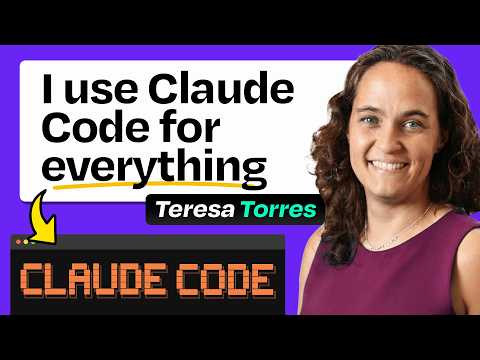
Claude Code for product managers: research, writing, context libraries, custom to-do system, more
Claire Vo (host), Teresa Torres (guest)
In this episode of How I AI, featuring Claire Vo and Teresa Torres, Claude Code for product managers: research, writing, context libraries, custom to-do system, more explores teresa Torres uses Claude Code to automate PM workflows daily Teresa Torres explains why she shifted from browser-based AI and Trello-centric work to Claude Code in the terminal: speed, flexibility, and treating AI like a pair-programming partner for non-coding tasks.
Teresa Torres uses Claude Code to automate PM workflows daily
Teresa Torres explains why she shifted from browser-based AI and Trello-centric work to Claude Code in the terminal: speed, flexibility, and treating AI like a pair-programming partner for non-coding tasks.
She demos a custom task management workflow built on local markdown files (viewed in Obsidian) and a /today slash command that compiles due/overdue tasks, in-progress ideas, and a daily research digest.
She then shows an automated academic research pipeline (arXiv daily + Google Scholar weekly) that filters results, queues selected PDFs, and generates high-signal summaries focused on methods and effect size via scheduled scripts.
Finally, she shares a scalable “context library” approach—many small, indexed files (style guide, business profile, products, audience, etc.)—so Claude can load only relevant context, enabling “lazy prompting” and faster resets when the model gets stuck.
Key Takeaways
Treat Claude Code like a pair-programming partner for everything.
Teresa’s core shift is mindset: once Claude sits “next to” your work in the terminal/VS Code, you can pair-manage tasks, research, and writing the same way engineers pair-program—iteratively and quickly.
Get the full analysis with uListen
Own your work by keeping tasks and notes as local markdown files.
She moved away from Trello as a personal system because notes felt locked in a third-party tool and were hard to search; markdown in a local folder is portable, inspectable, and AI-readable.
Get the full analysis with uListen
A single daily command can assemble your whole day’s operating view.
Her /today slash command compiles due tasks, overdue items, in-progress ideas, and research prompts into a generated “today file,” reducing decision fatigue and UI clicking.
Get the full analysis with uListen
Structure tasks with simple metadata so AI can query them reliably.
Each task is a file with YAML front matter (type, due date, tags). ...
Get the full analysis with uListen
Let AI do the tagging and taxonomy maintenance, not you.
Instead of relying on human discipline to tag tasks, Claude proposes tags and Teresa refines a tag taxonomy in a project-level Claude. ...
Get the full analysis with uListen
Automated research works best with a human-in-the-loop filter.
Her pipeline surfaces many papers daily; she manually selects which PDFs to download (5–10 minutes/day) to avoid summarizing a firehose, then receives detailed summaries the next day.
Get the full analysis with uListen
Use many small context files plus an index to avoid “context bloat.”
She learned that dumping everything into one Claude. ...
Get the full analysis with uListen
Notable Quotes
“By moving my task management to Claude, now Claude sees my tasks, and I can literally start my day and be like, “Claude, what’s on my to-do list that you can just do for me?””
— Teresa Torres
“I didn’t have to open a web browser… I literally just typed, like, off-the-cuff notes to Claude.”
— Teresa Torres
“The search is not that good… Claude will try every permutation of searches till it finds it.”
— Teresa Torres
“To do context well… we have to document everything in teeny-tiny files.”
— Teresa Torres
“When Claude gets stuck, I want Claude to go away… ‘Slash clear, we’re starting over.’”
— Teresa Torres
Questions Answered in This Episode
Can you show the exact /today prompt and the Python script responsibilities—what’s handled by Claude vs. code?
Teresa Torres explains why she shifted from browser-based AI and Trello-centric work to Claude Code in the terminal: speed, flexibility, and treating AI like a pair-programming partner for non-coding tasks.
Get the full analysis with uListen AI
What’s your tag taxonomy for tasks (e.g., sales pipeline), and how do you prevent tag sprawl as Claude suggests new tags?
She demos a custom task management workflow built on local markdown files (viewed in Obsidian) and a /today slash command that compiles due/overdue tasks, in-progress ideas, and a daily research digest.
Get the full analysis with uListen AI
How do you handle recurring tasks, subtasks, and projects in your markdown-based system without recreating a full PM tool?
She then shows an automated academic research pipeline (arXiv daily + Google Scholar weekly) that filters results, queues selected PDFs, and generates high-signal summaries focused on methods and effect size via scheduled scripts.
Get the full analysis with uListen AI
What does your research summary template look like (methods, effect size, limitations), and how did you prompt/implement it to avoid generic abstracts?
Finally, she shares a scalable “context library” approach—many small, indexed files (style guide, business profile, products, audience, etc. ...
Get the full analysis with uListen AI
How do you track “papers already seen” across arXiv and Google Scholar, and how do you de-duplicate near-identical preprints/versions?
Get the full analysis with uListen AI
Transcript Preview
Why has Claude Code become your buddy?
I was writing my notes in my task management tool, and that was Trello. As time went on, I just started to get really worried about, "How am I ever gonna get my data out of Trello?" And so I was like: I wonder if Claude can help? And that was, like, one thing. Maybe I could just do this better with Claude. And by moving my task management to Claude, now Claude sees my tasks, and I can literally start my day and be like, "Claude, what's on my to-do list that you can just do for me?" I can say, "Hey, Claude, what's my sales pipeline right now?" And because Claude is tagging my tasks, it literally can generate a list of all my sales tasks and where they're at.
This has given me a lot of inspiration, because I forget a lot of things. There's a lot going on. [upbeat music] Welcome back to How I AI. I'm Claire Vo, product leader and AI obsessive, here on a mission to help you build better with these new tools. Today, we have a very practical episode with Teresa Torres, author of Continuous Discovery Habits, which we all know and love, an internationally acclaimed author, speaker and coach. Teresa's gonna show us how she uses Claude Code for basically everything, but especially to manage her huge to-do list, all the information she needs to do a great job, and builds a giant contacts library so she can be, as she says, lazy with her prompting. Let's get to it. This episode is brought to you by Brex. If you're listening to this show, you already know AI is changing how we work in real, practical ways. Brex is bringing that same power to finance. Brex is the intelligent finance platform built for founders. With autonomous agents running in the background, your finance stack basically runs itself. Cards are issued, expenses are filed, and fraud is stopped in real time, without you having to think about it. Add Brex's banking solution with a high-yield treasury account, and you've got a system that helps you spend smarter, move faster, and scale with confidence. One in three startups in the US already runs on Brex. You can, too, at brex.com/howiai. Teresa, welcome to How I AI. I am so thrilled with today's episode, because we get to see what I love, which is good old Claude Code in a non-coding environment. And we were laughing before the show, you were just in every directory on your computer, straight in the terminal, like, this is how we're living right now. So I have to ask you before we get into any of it, why Claude Code? Why has Claude Code been-- become your buddy?
Yeah, this has been a really gradual evolution. I started like everybody else, like, literally in ChatGPT in the web, and then I wanted to have an LLM help me with writing, and I gradually moved to Claude, 'cause Claude's a little bit better writer, although that might be changing. And then, you know, I do code, and I mostly code in an AWS environment, and this is gonna be really embarrassing. I do most of my coding in the AWS management console. And my husband, for, like, four years, has been like: "Teresa, you just need to use a IDE."
Install uListen to search the full transcript and get AI-powered insights
Get Full TranscriptGet more from every podcast
AI summaries, searchable transcripts, and fact-checking. Free forever.
Add to Chrome