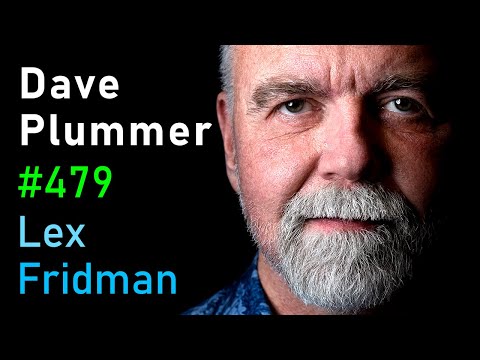
Dave Plummer: Programming, Autism, and Old-School Microsoft Stories | Lex Fridman Podcast #479
Lex Fridman (host), Dave Plummer (guest), Narrator
In this episode of Lex Fridman Podcast, featuring Lex Fridman and Dave Plummer, Dave Plummer: Programming, Autism, and Old-School Microsoft Stories | Lex Fridman Podcast #479 explores dave Plummer on Microsoft, Task Manager, Autism, and Coding’s Future Lex Fridman interviews Dave Plummer, a legendary ex-Microsoft engineer behind Windows Task Manager, Windows zip-support, and the Space Cadet Pinball port, tracing his journey from tinkering with 8‑bit machines to shaping core parts of Windows. Dave recounts his unconventional path: dropping out of high school, working night shifts at 7‑Eleven, returning to school, and eventually landing at Microsoft through clever networking using his Amiga shareware. He offers rich insider stories on MS‑DOS, Windows 95 and NT, debugging at the assembly level, and building small, robust utilities that billions still use. Throughout, he reflects on living with autism and ADHD, masking and meltdowns, relationships, and how neurodivergent focus, when matched to the right problems, can produce exceptional software.
Dave Plummer on Microsoft, Task Manager, Autism, and Coding’s Future
Lex Fridman interviews Dave Plummer, a legendary ex-Microsoft engineer behind Windows Task Manager, Windows zip-support, and the Space Cadet Pinball port, tracing his journey from tinkering with 8‑bit machines to shaping core parts of Windows. Dave recounts his unconventional path: dropping out of high school, working night shifts at 7‑Eleven, returning to school, and eventually landing at Microsoft through clever networking using his Amiga shareware. He offers rich insider stories on MS‑DOS, Windows 95 and NT, debugging at the assembly level, and building small, robust utilities that billions still use. Throughout, he reflects on living with autism and ADHD, masking and meltdowns, relationships, and how neurodivergent focus, when matched to the right problems, can produce exceptional software.
Key Takeaways
Small, focused tools can have massive, long-term impact.
Plummer wrote Task Manager and built-in zip support as side projects with an emphasis on robustness and small binaries; decades later, largely the same code still underpins tools used by billions, proving that well-crafted utilities can outlast flashier software.
Get the full analysis with uListen AI
Debugging skill often matters more than ‘greenfield’ creativity in real-world engineering.
At Microsoft, Plummer spent about 80% of his time porting and fixing others’ code, frequently at the raw assembly level across four architectures; becoming world-class at diagnosis, not just invention, made him indispensable.
Get the full analysis with uListen AI
Autistic traits can be a superpower when aligned with the right work.
His monotropism (deep single-focus) and compulsion for precision fueled the patience to reverse-engineer systems, optimize for bytes and cycles, and build tightly engineered tools—while also requiring explicit strategies to handle social nuance and communication.
Get the full analysis with uListen AI
Early life setbacks don’t preclude elite technical careers.
Plummer drifted out of high school, worked physically and emotionally difficult jobs, then proactively returned to school at 21 and leveraged his Amiga shareware and cold emails to get a Microsoft internship, illustrating that deliberate course-correction can overcome a poor start.
Get the full analysis with uListen AI
Clear constraints and tooling are crucial for large-scale software success.
Windows NT’s high standards under Dave Cutler, rigorous code review culture, and strong architectural boundaries contrasted with the more ad-hoc 95-era userland code; Plummer notes they lacked modern tools like Git, making disciplined engineering and leadership even more decisive.
Get the full analysis with uListen AI
UX decisions can trade off power-user flexibility for maintainability and security.
He explains why features like moving the taskbar or maintaining complex Start-menu layouts are expensive in code and bug surface, even if power users see them as “obvious”; organizations weigh those costs against serving a much larger mainstream audience.
Get the full analysis with uListen AI
AI will augment, not erase, strong programmers—for now.
Using LLMs heavily for Python in his Tempest RL project, Plummer sees AI as a force multiplier that writes idiomatic code and teaches APIs, but still requires a solid mental model, design sense, and human oversight; future developers may act more like system architects than line-by-line coders.
Get the full analysis with uListen AI
Notable Quotes
“I wasn’t worried about the features. I wanted [Task Manager] to be really robust and small.”
— Dave Plummer
“About 20% of my professional life has been creating and 80% has been debugging and fixing.”
— Dave Plummer
“You don’t want your operating system to be an adversary.”
— Dave Plummer
“My brain does one thing, it does it very intensely… I’m a serial single‑tasker.”
— Dave Plummer
“For me, the meaning of life is making cool stuff.”
— Dave Plummer
Questions Answered in This Episode
How should modern OS and product teams balance power-user customization against code complexity, security, and schedule pressure?
Lex Fridman interviews Dave Plummer, a legendary ex-Microsoft engineer behind Windows Task Manager, Windows zip-support, and the Space Cadet Pinball port, tracing his journey from tinkering with 8‑bit machines to shaping core parts of Windows. ...
Get the full analysis with uListen AI
What practical steps can neurotypical managers take to work more effectively with autistic engineers without forcing them to mask constantly?
Get the full analysis with uListen AI
Given AI’s rapid progress, which parts of systems programming will still demand deep human expertise in 10–20 years?
Get the full analysis with uListen AI
If you were redesigning Windows Task Manager today from scratch, what would you change, add, or remove?
Get the full analysis with uListen AI
How can young developers replicate the deep, bottom-up understanding of systems that previous generations gained from 8‑bit and 16‑bit hardware?
Get the full analysis with uListen AI
Transcript Preview
The following is a conversation with Dave Plummer, programmer and an old school Microsoft software engineer who helped work on Windows 95, NT, and XP, building a lot of incredible tools, some of which have been continuously used by hundreds of millions of people, like the famed Windows Task Manager. Yes, the Windows Task Manager. And the zip/unzip compression support in Windows. And he ported the code for Space Cadet Pinball, AKA 3D Pinball to Windows. Today, he's loved by many programmers and engineers for his amazing YouTube channel called Dave's Garage that you should definitely go check out. Also, he wrote a book on autism and about his life story called Secrets of the Autistic Millionaire, where he gives really interesting insights about how to navigate relationships, career, and day-to-day life with autism. All this taken together, this was a super fun conversation about the history and future of programming, computing, technology, and just building cool stuff in the proverbial garage. This is the Lex Fridman Podcast. To support it, please check out our sponsors in the description, and now, dear friends, here's Dave Plummer. Tell me about your first computer. Do you remember?
I do. I didn't own my first computer for a long time, but the first computer I ever used was a TRS-80 Model 1, Level 1, 4K machine, and I rode my bike in fifth or sixth grade, so I was about 11, to the local RadioShack. And, you know, they, they had the standard component stereo systems, everything else RadioShack had, but they had a stack of boxes that was labeled computer, and so I was asking the people that worked there about it, and they said they just got it and they hadn't set it up yet. And so I was rather precocious and I figured, "Well, I'll set it up for you," and they said, "Okay, have a shot." (laughs)
Did you know what you were doing?
Absolutely not. I mean, it's no worse than a component stereo, the only thing is that Tandy in their infinite wisdom used the same five pin DIN connector for power, video, and I think cassettes, so they were all identical, and if you plugged them in wrong, you'd blow it up. So I read the label and, uh, got it working and wound up playing with it and not knowing anything about computers, so I'm typing English commands into it and, you know, PRINT 2+2 works perfectly, yet more s- simple English that you enter into a basic Level 1 interpreter is not gonna get you very far.
So you're trying to talk to it in English?
Yeah.
(laughs)
Didn't know any better. And I still have an old foolscap that I wrote in sixth grade of a, of a program that's kind of illogically correct, but has no chance of working on any interpreter that existed at the time, so it took me a while to figure out what was actually going on with them. But, uh, I rode my bike down there every Thursday and Saturday, and they were gracious to let me use the machine.
Install uListen to search the full transcript and get AI-powered insights
Get Full TranscriptGet more from every podcast
AI summaries, searchable transcripts, and fact-checking. Free forever.
Add to Chrome