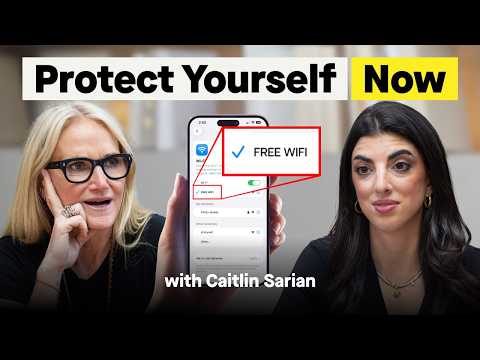
#1 Cybersecurity Expert Reveals: 5 Ways to Protect Yourself Online (Starting Tonight)
Mel Robbins (host), Caitlin Sarian (guest)
In this episode of The Mel Robbins Podcast, featuring Mel Robbins and Caitlin Sarian, #1 Cybersecurity Expert Reveals: 5 Ways to Protect Yourself Online (Starting Tonight) explores cybersecurity expert shares five nightly habits to prevent scams and hacks Mel Robbins interviews award-winning cybersecurity educator Caitlin Sarian to demystify personal cybersecurity and explain why “it’s not if, it’s when” for scams and account takeovers.
Cybersecurity expert shares five nightly habits to prevent scams and hacks
Mel Robbins interviews award-winning cybersecurity educator Caitlin Sarian to demystify personal cybersecurity and explain why “it’s not if, it’s when” for scams and account takeovers.
They walk through how everyday behaviors—reused passwords, over-sharing personal data, clicking links quickly, using public Wi‑Fi, and lax app permissions—create a large digital footprint that criminals exploit with social engineering and AI.
Caitlin emphasizes small, repeatable “cyber hygiene” routines (like brushing teeth) and offers concrete actions for adults, seniors, and kids, including safe words for voice-clone scams and steps after breaches.
The episode culminates in five essential protections: strong unique passwords, automatic updates, freezing credit, pausing before clicking links, and limiting data exposure (including using deletion/opt-out services).
Key Takeaways
Assume you’re a target; criminals want money, not “important people.”
Caitlin rejects “hackers aren’t interested in me. ...
Get the full analysis with uListen AI
Your digital footprint is essentially everything you do online—and it’s searchable.
Apps, accounts, posts, registries, and browsing behavior add up. ...
Get the full analysis with uListen AI
Incognito/private browsing doesn’t hide you from websites or tracking ecosystems.
It primarily prevents your device/browser from saving local history/cookies. ...
Get the full analysis with uListen AI
Use strong, unique passwords (avoid “base password” variations) and store them safely.
Attackers can take one leaked password and algorithmically try thousands of variants (e. ...
Get the full analysis with uListen AI
Turn on automatic software updates to patch vulnerabilities attackers already know about.
Many “bug fixes” are security patches for newly discovered holes. ...
Get the full analysis with uListen AI
Freeze your credit to block the most damaging form of identity theft: new accounts.
If you’re not actively seeking new credit, freezing with the major bureaus is a high-impact, low-effort safeguard. ...
Get the full analysis with uListen AI
Pause nine seconds before clicking links—then verify via a trusted channel.
Scams succeed by triggering urgency and fear (e. ...
Get the full analysis with uListen AI
Never ‘refund’ unexpected payment-app transfers; route through the platform instead.
In the Venmo scam described, criminals send money from a stolen card then ask you to send it back. ...
Get the full analysis with uListen AI
Prefer credit cards over debit/payment apps for purchases when possible.
The episode frames debit and P2P apps as “money in, money out,” often harder to unwind. ...
Get the full analysis with uListen AI
Lock down app permissions—especially camera, microphone, and location—and limit photo access.
Caitlin warns that some social apps can scan your camera roll (including unposted photos) to prompt content creation. ...
Get the full analysis with uListen AI
Protect kids by defaulting to private accounts, restricting messaging, and building trust.
Use child accounts where available, set profiles to private, and reduce unsolicited DMs (including in gaming platforms). ...
Get the full analysis with uListen AI
Have a family ‘safe word’ to counter voice-clone and impersonation scams.
Scammers can stitch voices from podcasts and social media to request emergency money. ...
Get the full analysis with uListen AI
Use IC3.gov to report sextortion and other internet crimes.
Caitlin cites the FBI’s Internet Crime Complaint Center as a free reporting and escalation path, especially relevant for sextortion cases affecting teens.
Get the full analysis with uListen AI
Harden your phone against theft by preventing quick airplane-mode activation.
Thieves may enable airplane mode immediately to stop tracking. ...
Get the full analysis with uListen AI
Cover cameras and secure IoT devices with unique passwords.
Account reuse can expose baby monitors, doorbells, and laptops. ...
Get the full analysis with uListen AI
Notable Quotes
“Cybersecurity is not for experts, it's literally for everyone.”
— Caitlin Sarian
“It's not a matter of if it happens to people, it's a matter of when.”
— Caitlin Sarian
“If there's any free product or app, you are the product.”
— Caitlin Sarian
“The incognito is actually not incognito.”
— Caitlin Sarian
“Password is the number one most popular password. That is still used to this day.”
— Caitlin Sarian
Questions Answered in This Episode
Credit freeze specifics: Which three bureaus should viewers freeze with, and what are the exact steps to temporarily unfreeze when applying for credit?
Mel Robbins interviews award-winning cybersecurity educator Caitlin Sarian to demystify personal cybersecurity and explain why “it’s not if, it’s when” for scams and account takeovers.
Get the full analysis with uListen AI
Password managers: What criteria should someone use to choose between iPhone Keychain, 1Password, Keeper, etc., and how should they secure the manager itself?
They walk through how everyday behaviors—reused passwords, over-sharing personal data, clicking links quickly, using public Wi‑Fi, and lax app permissions—create a large digital footprint that criminals exploit with social engineering and AI.
Get the full analysis with uListen AI
MFA tradeoffs: Why do you prefer an authenticator app over SMS codes, and what’s the simplest ‘good enough’ setup for non-technical people?
Caitlin emphasizes small, repeatable “cyber hygiene” routines (like brushing teeth) and offers concrete actions for adults, seniors, and kids, including safe words for voice-clone scams and steps after breaches.
Get the full analysis with uListen AI
Public Wi‑Fi nuance: If a site is HTTPS, what risks still remain on public Wi‑Fi, and what does a VPN actually protect vs not protect?
The episode culminates in five essential protections: strong unique passwords, automatic updates, freezing credit, pausing before clicking links, and limiting data exposure (including using deletion/opt-out services).
Get the full analysis with uListen AI
Venmo/Zelle damage control: If someone already sent the ‘refund’ back, what immediate steps should they take with the app, their bank, and their cards?
Get the full analysis with uListen AI
Transcript Preview
Today, you and I are going to learn to protect yourself online from award-winning cybersecurity expert, Caitlin Sarian. She has been recognized with multiple awards, including Cybersecurity Woman of the World, Cybersecurity Educator of the Year, Top CyberNews Magazine 40 Under 40 in 2024. Caitlin has been on a mission to make cybersecurity easy.
[upbeat music] Cybersecurity is not for experts, it's literally for everyone. We use it every day, and it's not supposed to be a scary word. It's not a matter of if it happens to people, it's a matter of when. Everyone is gonna be an easy target because we were never taught how to protect ourselves. Password is the number one most popular password. That is still used to this day.
Password?
Yeah.
And so as an expert in cybersecurity, you never hand out your real birthday or name or phone number online? Why?
Correct. My question back to you is, why do they need it?
Uh-
Why do they need your phone number? Have they ever called you?
You also never post vacation photos while you're still away. Why? You also warn people about free Wi-Fi. Why?
Uh, I always say, if there's any free product or app, you are the product. Yeah, any of the apps that you use, the games that you play on your phone, the websites you go to, the, uh, accounts that you make online, like, every single thing that you're doing is... builds a larger and larger digital footprint.
Everything?
Everything.
If we just focus on these five things, even though you may feel overwhelmed right now, these are the five things that really will protect you online. What are those five things?
Passwords, software updates. The third thing you are gonna do is freeze your credit. The fourth thing you are doing is taking nine seconds before you click on any link.
What's the final thing that we're gonna do to protect ourselves?
Limit the-
[upbeat music] Hey, it's Mel, and before we get into this episode with an award-winning cybersecurity expert, you're gonna love this. Holy cow, my jaw was on the floor about the Venmo scam she's about to tell you about. My team was showing me 57% of you who watch the Mel Robbins Podcast here on YouTube are not subscribed yet. Could you do me a quick favor? Just hit Subscribe so that you don't miss any of the episodes that we post here on YouTube. It lets me know you're enjoying the guests and the content that we're bringing you, because I wanna make sure you don't miss a thing, and I'm so glad you're here for this episode 'cause this is a really good one. All right, let's dive in. [upbeat music] Caitlin Sarian, welcome to the Mel Robbins Podcast.
Thank you so much for having me. I'm honored to be here.
This is one of these conversations that I am equal parts so excited for, and I'm also feeling a little nervous because I know I'm going to learn that I'm doing a lot of things wrong. [chuckles] So do you get that a lot with people?
Install uListen to search the full transcript and get AI-powered insights
Get Full TranscriptGet more from every podcast
AI summaries, searchable transcripts, and fact-checking. Free forever.
Add to Chrome