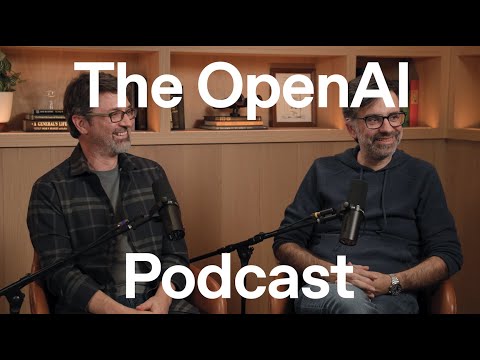
ChatGPT Atlas and the next era of web browsing — the OpenAI Podcast Ep. 9
Andrew Mayne (host), Darin Fisher (guest), Ben Goodger (guest)
In this episode of OpenAI, featuring Andrew Mayne and Darin Fisher, ChatGPT Atlas and the next era of web browsing — the OpenAI Podcast Ep. 9 explores chatGPT Atlas reimagines browsers as agentic, personalized web copilots now ChatGPT Atlas is presented as a “new kind of browser” where ChatGPT isn’t a sidebar add-on but the central interface for understanding, navigating, and acting on the web.
ChatGPT Atlas reimagines browsers as agentic, personalized web copilots now
ChatGPT Atlas is presented as a “new kind of browser” where ChatGPT isn’t a sidebar add-on but the central interface for understanding, navigating, and acting on the web.
Ben Goodger and Darin Fisher argue the timing is right because models and “computer use” capabilities have improved rapidly, making practical agentic workflows feasible now.
They describe core product ideas: an Ask ChatGPT sidebar for in-context understanding and research, plus Agent mode that can operate websites on a user’s behalf with safety controls and a separate agent workspace.
The discussion also covers Atlas’s technical architecture (Chromium-based via an out-of-process component called Owl), personalization via browsing “memories,” and a long-term roadmap including more platforms like Windows and mobile.
Key Takeaways
Atlas reframes browsing as intent-first, not URL-first.
Goodger describes a shift from remembering sites and crafting searches to simply telling the computer what you want; the browser becomes a natural-language interface for tasks, research, and decisions.
Get the full analysis with uListen AI
The differentiator is deep integration, not a ChatGPT sidebar plugin.
Because Atlas “owns the whole browsing surface,” it can invoke ChatGPT in any text field, use personalization to write in your voice, and connect browsing context directly to AI actions—beyond what extensions can do.
Get the full analysis with uListen AI
Agent mode is “ChatGPT that can click,” with user control baked in.
An agent task means Atlas can operate web apps (e. ...
Get the full analysis with uListen AI
Separating “agent tabs” from user tabs reduces chaos and increases trust.
Atlas gives the agent its own workspace where it can open many intermediate pages without cluttering your tab strip; results are presented afterward, and users can inspect steps if desired.
Get the full analysis with uListen AI
Browser “memories” aim to make AI assistance personal and resumable.
Atlas can remember what you were researching and help you return to it (“what was that recipe/video? ...
Get the full analysis with uListen AI
Atlas is built on Chromium for compatibility, but with a distinct architecture.
Fisher emphasizes Chromium’s real-world web compatibility and extension ecosystem; Atlas embeds Chromium via an out-of-process component (“Owl”), allowing parallelism, fast restarts, and resilience if the web-rendering side crashes.
Get the full analysis with uListen AI
Non-AI UX improvements (tabs, performance) are treated as productivity multipliers.
Features like optional scrolling tabs, tab search, and aggressive tab lifecycle management enable very large working sets (even thousands of tabs) without clutter, and also expand what the model can reference in your workflow.
Get the full analysis with uListen AI
Notable Quotes
““Atlas is a new kind of browser… where you can just tell it what you want.””
— Ben Goodger
““The time is right ’cause it’s actually how people should be starting their journey.””
— Darin Fisher
““It’s kind of powerful, this idea that… the agent has its own workspace.””
— Darin Fisher
““We’re moving to a world where you can just tell the computer what you want.””
— Ben Goodger
““My view for this has always been that this is like a long-term investment.””
— Ben Goodger
Questions Answered in This Episode
Agent mode vs. normal ChatGPT: what’s the precise boundary between “answering” and “acting,” and how does Atlas decide when to recommend agent mode?
ChatGPT Atlas is presented as a “new kind of browser” where ChatGPT isn’t a sidebar add-on but the central interface for understanding, navigating, and acting on the web.
Get the full analysis with uListen AI
What are the concrete criteria that trigger “sensitive mode” (where the agent pauses if you leave the tab), and will users be able to customize those thresholds?
Ben Goodger and Darin Fisher argue the timing is right because models and “computer use” capabilities have improved rapidly, making practical agentic workflows feasible now.
Get the full analysis with uListen AI
How do “browser memories” differ from ChatGPT memories—what data is stored, how long, and how can users audit, export, or selectively delete it?
They describe core product ideas: an Ask ChatGPT sidebar for in-context understanding and research, plus Agent mode that can operate websites on a user’s behalf with safety controls and a separate agent workspace.
Get the full analysis with uListen AI
In the agent workspace model, how does Atlas prevent the agent from taking irreversible actions (purchases, account changes) without explicit confirmation?
The discussion also covers Atlas’s technical architecture (Chromium-based via an out-of-process component called Owl), personalization via browsing “memories,” and a long-term roadmap including more platforms like Windows and mobile.
Get the full analysis with uListen AI
What’s the plan for handling sites that intentionally resist automation (CAPTCHAs, anti-bot measures) while keeping the web “open” and respecting publishers?
Get the full analysis with uListen AI
Transcript Preview
Hello, I'm Andrew Main, and welcome to the OpenAI Podcast. There have been a lot of exciting releases from OpenAI recently, including GPT 5.1, Sora, and one of my favorite new applications, ChatGPT Atlas. Today, we're going to be talking to the team behind it, Ben Goodger and Darin Fisher, and explore some of the reasons for why OpenAI decided to make a browser, what the future of agentic capabilities mean, and where everything's headed next.
[upbeat music] The time is right 'cause it's actually how people should be starting their journey.
We're moving to a world where you can just tell the computer what you want.
So I think it's kind of powerful, this idea that it, that the agent has its own workspace.
My view for this has always been that this is like a long-term investment.
Let's begin with, what is Atlas and why?
So Atlas is a new kind of browser, uh, for an era of the web where people are interacting with new technology in natural language. And so it's a- the kind of browser where you can just tell it what you want, whether it's to find the next outfit that you're gonna buy or to help you solve a really hard problem, and then it can help you harness the web to get a bunch of stuff done. Um, and so central to this, this idea is that if we take ChatGPT and make it the heart of your browser, not just an add-on, uh, it's something that can actually help you make sense of the content that you're seeing on the web. It's something that can help you take action on the web. It's something that can, you know, learn from your browsing to personalize your experience and help you with tasks that aren't just done in a few minutes, but might take days, or weeks, or months, or just generally help you, uh, become a more curious, more effective person.
And it can help you come back to a task that maybe you've not had a chance to work on in a while because it will remember what you were doing for you and help, help you, uh, get right back into where you were.
Why now?
I think the, the progression of technology, you know, with, with these AI models has been really stunning to watch over the past couple of years. Uh, and it feels like we're at this sort of sweet spot, where the capabilities of, of, um, not just the LLMs that have powered ChatGPT, but also sort of this new area of, uh, computer use and some of the other surrounding technology, is at a point where we can build some really compelling experiences for people, so we wanted to give it a shot.
You know, like Ben said, the models have gotten so much better, and they continue to get better, and you see the slope of innovation there and the pace of, of improvement. If you look back at the beginning of the year when Operator first came out, for example, and it sort of like hints at some of the potential, and now you fast-forward to where Atlas is with agent, agent and how much faster it is, how much more capable it is, just look at that slope, and you start to project, "What about ne- what's it gonna look like next year, five years out?" et cetera. And to get this sort of-- get that foundation in place, that's what we were excited about, and it felt like the right time. Uh, for me, personally, you know, I, I felt like, you know, I had made that transition to seeing how ChatGPT makes so much sense in my life to- and how much I was using it and feeling like I'm putting ChatGPT at the core of a browser, not just another tab that you have to go to, to... but to have it be at the core and part of that flow. The time is right 'cause it's actually how people should be starting their journey, and so we want to make that, uh, just so natural and easy. And, and, and, uh, so I'm really excited to-- that, that we've been able to bring Atlas up, and I'm excited to bring it to more platforms.
Install uListen to search the full transcript and get AI-powered insights
Get Full TranscriptGet more from every podcast
AI summaries, searchable transcripts, and fact-checking. Free forever.
Add to Chrome